Talking to Mara effectively
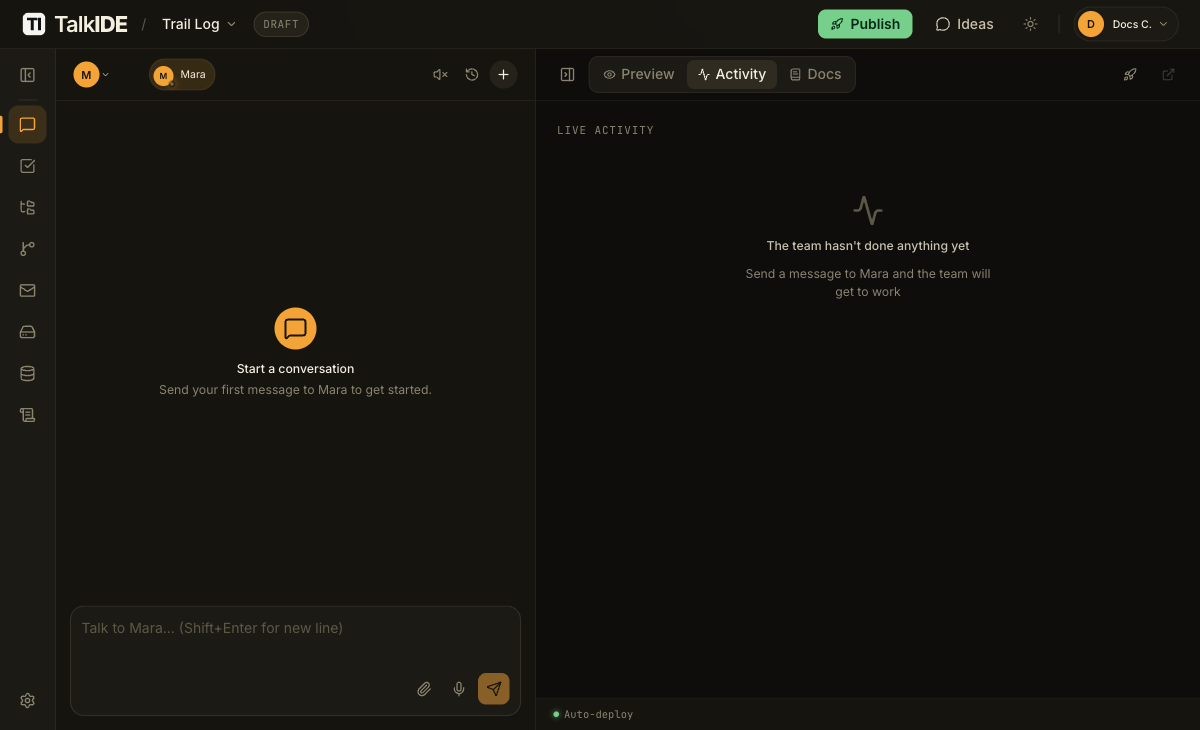
Mara leads your IT team and turns what you tell her into a working application. What you get back depends a lot on how you describe what you want. This guide covers the technique: how to phrase a message so Mara and her team have what they need to build it right the first time.
Most people start by describing their idea to Vera, the Business team lead, and let her hand a plan to Mara. If you already know exactly what you want, you can skip that step and talk to Mara directly. Either way, the same principles for writing a good message apply.
Describe outcomes, not implementation
The single most useful habit when talking to Mara: talk to her the way you would talk to a project manager, not a programmer. Describe what should happen, not how it should be built.
“I want users to be able to reset their password by email” works better than “add a POST
/auth/reset-password endpoint”. Mara and her specialists handle the technical decisions.
Your job is to describe the outcome you want.
This matters even more when you’re starting from scratch, with no prior brief from Vera. Mara isn’t working from any assumptions about your project yet, so describe what you want directly: what it should do, how it should look, and who it’s for. A good first message names the core feature, one key behavior, and who it’s for, something like “a todo app with login, where people can add tasks and mark them done.”
Give Mara a complete first message
A short message is fine, but a complete one saves a round trip. Before you send your first message to Mara, try to cover:
- What the feature or app should do
- Who is going to use it
- Anything specific about how it should look or behave
Understand who you’re actually talking to
When you send Mara a message, she doesn’t do all the work herself. She classifies the request, decides which of her specialists to bring in and in what order, hands each one a brief with the relevant context, waits for their work, checks for conflicts, and puts together a reply for you.
From your side, you mostly see Mara’s replies. If a message mentions Iris, Theo, Eli, Nia, or Kai by name, that’s Mara crediting a specialist for part of the work, not a different conversation. Knowing this helps explain why a clear message from you matters: inside her own team, Mara’s specialists hand off structured work to each other rather than vague descriptions. Iris gives Theo structured requirement notes, not a loose description. A complete brief from you gives Mara the same kind of clean starting point to work from.
Know what to ask Mara directly
Mara asks clarifying questions before any work starts, turns your description (or a plan handed off from Vera) into a project plan, and delegates design, engineering, review, and infrastructure work to the right specialist. She reports back when something is done, partially done, or blocked.
She does not write code directly (that goes to Theo or Eli), lock in scope without checking requirements with Iris, or deploy to production (that’s Kai’s job). You don’t need to address those specialists yourself. Tell Mara what you want, and she routes it.
Expect to iterate
Don’t try to get everything exactly right in one message. If you planned with Vera first, you already iterated on the mockup: clicking through it, then telling her what to change, until it matched what you wanted. The same pattern continues once Mara’s team is building the real thing. You stay in the loop by chatting with Mara: asking for changes, reviewing progress, and watching your app take shape. Getting the first version roughly right and refining it from there is the normal way this works, not a sign your first message was wrong.
Try voice input
If it’s faster to talk through an idea out loud than to type it, use the microphone button in the chat composer. Your speech is transcribed into the input box, where you can review and edit it before sending, just like a typed message.
Related
- Agent roles: what every agent on your Business and IT teams does, and what falls outside their scope.
- How the AI team works: why TalkIDE uses a team of agents instead of a single chatbot, and how handoffs between them work.
Thanks for the feedback.